Solution · Document Pipeline
PDF documents in. Validated ERP entries out.
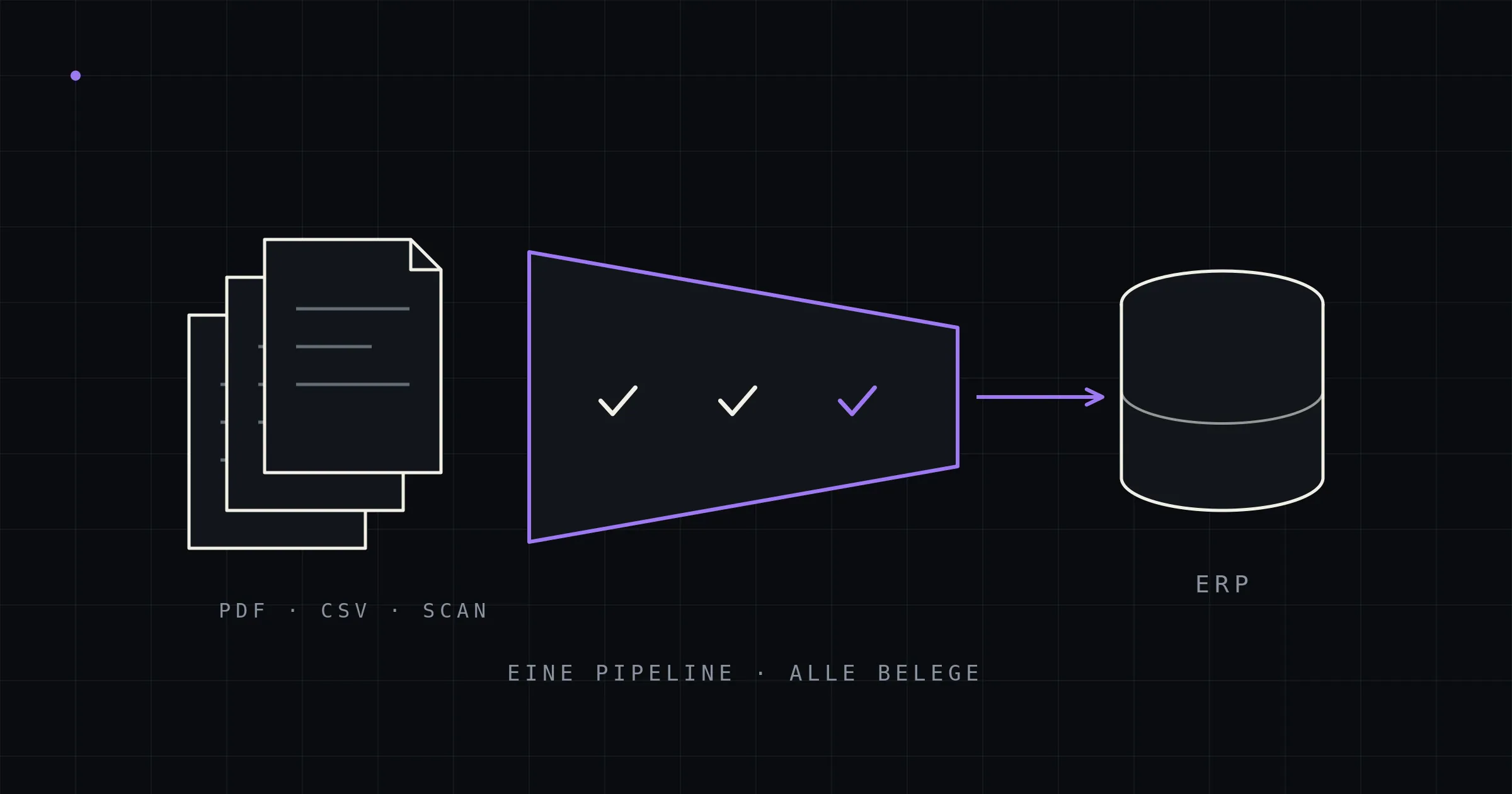
Purchase orders, invoices, and delivery notes arrive as PDFs — and your back office types them in by hand. The kitun Document Pipeline reads them template-free with local AI, validates every line item deterministically, and creates them straight in your ERP: no document leaves your network, no fee per document.
- Template-free
- New senders with zero setup
- On-premise
- Open-weights models on your hardware
- Zero undetected errors
- An operating target, not a marketing claim
- No per-document pricing
- Fixed costs instead of volume tiers
- Straight into your ERP
- Created via official interfaces
The most expensive process that never shows up in a report
In a typical industrial company handling 40 documents a day, manual data entry ties up around 4 working hours daily — nearly €40,000 a year, before the first typo turns into a wrong shipment. Add the downstream cost of errors, missed early-payment discounts, and a back office that types instead of sells. The full, verifiable calculation: What does manual document capture really cost?
And the problem won't solve itself: the e-invoicing mandate only structures invoices, only in Germany, with transition periods — purchase orders, delivery notes, and all Swiss document traffic remain PDFs. Background →
How the pipeline works
Intake & routing
Documents arrive via mailbox, folder, or scan. Duplicates are filtered out by file hash before any compute is spent. Already-structured inputs (e-invoices, CSV) run deterministically — AI is used only where it's actually needed.
Extraction, locally
Layout parsing and template-free extraction with open-weights models on your hardware. The model transcribes what's on the document — it doesn't calculate and it doesn't guess.
Deterministic validation
Every line item is recalculated (quantity × price = total), every value is grounded in the original text, item and partner numbers are resolved against your master data. Math catches transposed digits more reliably than any human review.
Creation in your ERP
Validated documents are created through your system's official interfaces — as a sales order, incoming invoice, or goods receipt, linked to the source document. Uncertain documents land pre-filled in a review screen: verified in seconds instead of typed in minutes.
Go deeper: The complete guide · The technical anatomy
The quality promise — and why it sounds different from the usual pitch
Vendors advertise “99% accuracy.” We don't — because that number answers the wrong question. Our operating target: zero undetected errors among automatically posted documents. Errors may happen; they just must never happen unnoticed. That's the job of the validation layer — not the model. Typical trajectory: 70–90% of documents flow through fully automatically from day one, and the rate climbs with every correction. Why “99%” is the wrong question →
Sovereign by design
Business documents are concentrated trade secrets — terms, prices, customer relationships. That's why the pipeline runs entirely on-premise: open-weights models on a GPU workstation or compact AI appliance (a few thousand euros, not more), no cloud service, no tangle of data processing agreements, GDPR- and revDSG-compliant by design. The model stays swappable — not tied to a single model vendor. On-premise in detail →
One pipeline, every document type
- Customer purchase orders → sales orders. The biggest lever: line-item precise, with resolution of third-party item numbers — without your customers changing a thing. More →
- Incoming invoices — hybrid. True e-invoices run deterministically, free-form PDFs (foreign senders, Switzerland, transition cases) via extraction; the same checks apply to everything. More →
- Order confirmations & delivery notes. Line-by-line matching against the purchase order — deviations in price, quantity, or delivery date are flagged while you can still react. More →
- The EDI long tail. EDI for the big players, the pipeline for everyone else — business partners keep ordering the way they always have. More →
Straight into your ERP — through official interfaces
No portals, no CSV detours: the pipeline writes through your system's documented integration paths, so every business rule applies exactly as it would with manual entry.
ERP
SAP Business One
Service Layer / DI API
View solution →ERP
Dynamics 365 Business Central
Standard REST API / AL extension
View solution →ERP
myfactory
SOAP-API (bidirectional)
View solution →ERP
Abacus
AbaConnect (XML/web services)
Your system isn't on the list? There's a good chance it still works: any ERP with an import interface, API, or accessible data model can be connected — from Sage to SelectLine and weclapp, all the way to home-grown legacy systems. Integrations like these are exactly our core business as a custom business software studio.
Does it pay off for you?
Adjust error follow-up costs (optional)
Estimated yearly effect of automation
—
Capture cost × 0.8 + error follow-up costs, at 220 working days
Inputs are never stored or transmitted.
Three inputs are enough for a first answer: documents per day, minutes per document, hourly rate. Prefer to do the math yourself? The full calculation logic is openly documented — including error follow-up costs and discount effects. Rule of thumb: from 10–20 documents per day, automation regularly pays off handsomely; amortization typically lands within the first year.
The path to production
Phase 1 — Pilot (2–3 weeks). ~10 real documents from your inbox, a gold set with expected results, pipeline running end-to-end through to a draft document in your test system. One deliberately planted error must get caught — otherwise validation is just decoration.
Phase 2 — Validation (~100 documents). Including senders the system has never seen. This is where the metrics emerge (straight-through rate, line-item accuracy) and where we calibrate the threshold for automatic posting.
Phase 3 — Production. Go-live with review queue, per-sender monitoring, corrections feeding back in. Runs as a Docker stack on your hardware — maintainable like any other service.
Your effort: provide sample documents, interface access to your test system, one contact person for master data questions. Not a major ERP project — a precisely scoped module.
Why kitun
We're not a SaaS vendor with a connector catalog. We're an AI-native software studio: senior architects design the pipeline around your processes, AI accelerates the build, and everything that goes to production has been reviewed by us — and we stand behind it. The result is built exclusively for you — your data, your operations, on-premise capable. The same architecture we use to build and run our own products.
Frequently asked questions
How is this different from SaaS tools like Workist, Konfuzio, or Parashift?
Three things: your documents stay in-house (on-premise instead of a vendor cloud), costs are fixed instead of volume-based, and the integration doesn't stop at a standard connector — it's built around your ERP and your master data logic.
What hardware do we need?
For mid-sized volumes, a single 24 GB GPU or a compact AI appliance with generous unified memory is enough — in the range of €2,000–4,000. No cluster, no ML team; operating it is like running any other Docker service.
How long does implementation take?
From kick-off to production, typically a few weeks to a few months, depending on document variety and integration path — the phases above keep progress measurable at every step.
What happens to documents the system can't read with confidence?
They land pre-filled in the review screen and are verified in seconds. Every correction feeds back and improves the pipeline — the review rate is a falling curve, not a constant.
Does it work with scans and paper?
Yes — scanned and photographed documents run through a vision path of the same pipeline. Born-digital PDFs (the B2B norm) are processed directly via the text layer, no OCR needed.
What's the pricing model?
One-time project cost plus low fixed operating costs — no per-document pricing, no volume tiers, no forced subscription. The savings stay entirely with you; a first calculation with your numbers takes shape in the intro call.
Do you train models on our data?
No. The pipeline uses ready-made open-weights models; improvements come from validation rules, examples, and thresholds — traceable and reversible. Your documents never leave your network, not even for training purposes.
20 minutes, one honest assessment
Bring two or three typical documents — in the intro call, we'll tell you what can be automated, what it costs, and whether it pays off. If it doesn't, we'll tell you that too.