ERP & Automation
Getting PDF Documents Into Your ERP Automatically: The Guide for Mid-Sized Companies
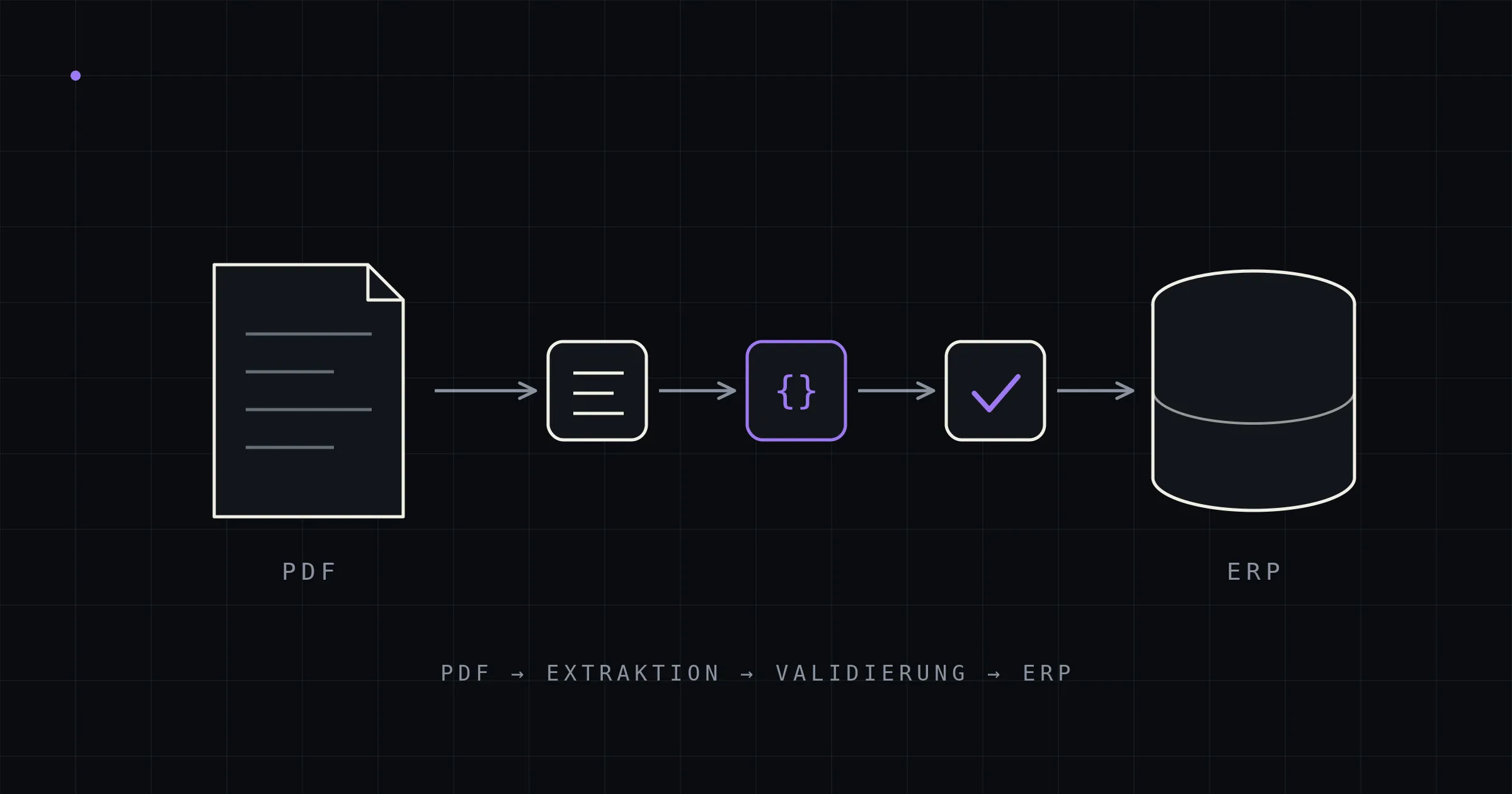
Almost every mid-sized company runs the same process, and almost none of them mention it in their digitalization strategy: a business document arrives as a PDF by email — a purchase order, an invoice, a delivery note — and a person transfers the data into the ERP system by hand. Line by line, item number by item number, price by price.
The process is so routine that it has become invisible. Yet in a typical industrial company with 50 to 500 employees, it ties up several hours of skilled labor every day, produces avoidable errors with expensive downstream consequences — and with today’s technology, it can be fully automated without a single document ever leaving your own network.
This guide explains which documents can be automated, what the solution options are, how a modern extraction pipeline works under the hood — and how to tell credible accuracy claims from dubious ones.
The silent cost leak: what manual document capture really costs
The numbers have been well documented for years. Industry analyses such as the Billentis report put the full process cost of a manually handled incoming invoice at roughly €15 to €40 — depending on company size and process depth, with a frequently cited average of €17.60 per document. Automated processing brings that down to around €4, a reduction of up to 70 percent.
These figures capture the direct handling time: open, read, key into the ERP, check, file. The more expensive items, however, rarely show up in such statistics:
- Error follow-on costs: Transposed digits in an order line turn into the wrong pick, the wrong shipment, a credit note, a return. A 30-second typo quickly becomes several hundred euros in process costs — and an annoyed customer.
- Latency: Documents that sit in an inbox for half a day delay order confirmations, goods receipts, and payment runs. Early-payment discounts expire, delivery dates come under pressure.
- Seasonal peaks and absences: Manual capture scales with headcount. During order peaks, vacations, or sick leave, a backlog builds up immediately — or overtime does.
- Opportunity costs: The people rekeying documents are the same people who could be advising customers, resolving complaints, and negotiating with suppliers. In a tight labor market, that is the most expensive possible use of scarce sales support capacity.
A simple back-of-the-envelope calculation for a company handling 40 documents a day (purchase orders, invoices, and delivery notes combined), at an average of 6 minutes per document and a fully loaded cost of €45 per hour: 40 × 6 minutes = 4 hours of work daily, or roughly €180 per day — nearly €40,000 per year, before counting any error follow-on costs. At 100 documents a day, the figure rises to around €100,000 annually. (For the complete, verifiable cost model including error, discount, and opportunity effects, see What does manual document capture really cost?)
Which documents are affected — and why “e-invoicing” doesn’t solve the problem
When people hear “automate document capture,” they think of incoming invoices first. In reality, invoice processing is only one part of the problem — and, as it happens, the one part that regulation is currently solving on its own, at least in Germany.
| Document type | Direction | Available in structured form? | Reality in the mid-market |
|---|---|---|---|
| Incoming invoice (DE) | inbound | increasingly (B2B e-invoicing mandate since 2025, phased issuance) | Transition phase: still plenty of PDF invoices, foreign suppliers, credit notes |
| Incoming invoice (CH) | inbound | no — no B2B mandate; the QR-bill structures payment data only, not line items | PDF remains the standard |
| Customer purchase order | inbound | no — not covered by any e-invoicing regulation | PDF by email is the norm, EDI only with major customers |
| Order confirmation | inbound | no | |
| Delivery note | inbound | no | PDF or paper |
| Demand notices, price lists, specifications | inbound | no | PDF, Excel, sometimes scans |
Here’s the punchline: Germany’s e-invoicing mandate will, over time, structure exactly one document type — the invoice. Purchase orders, order confirmations, and delivery notes will remain unstructured PDFs for years to come. And in Switzerland, no comparable B2B mandate exists at all; e-invoicing is only mandatory when billing the federal administration. So if you’re looking for the biggest lever, you’ll usually find it not in accounting but in order entry: that’s where delivery dates, stock movements, and revenue hang directly on the speed and accuracy of data capture. (Deep dives: Automating order entry · What e-invoicing solves — and what it doesn’t · Delivery notes and order confirmations: the forgotten documents)
Why the problem is solvable today — and wasn’t in 2019
Automatic document recognition is not a new promise. Template-based OCR solutions have been around for over twenty years — and they have consistently failed at the same point: every supplier layout needed its own template. With ten business partners, that works. With three hundred partners who occasionally change their layouts, template maintenance becomes a part-time job in its own right — and the system still only captures what it already knows.
The technological leap of the past few years fundamentally changes the picture. Modern language models read documents template-free: they don’t need to know a layout to understand that “Item 3, Art. no. 4711, 250 pcs at 12.80” is an order line — even when the table runs across a page break, the item description spans three lines, or the discount sits in a footnote. Three developments come together:
- Layout parsers like Docling (an open-source project originally from IBM Research) reliably convert PDFs — including table structures — into machine-readable Markdown, on an ordinary server CPU, no GPU required.
- Compact open-weights models extract structured data from that output. The task doesn’t call for a frontier model in the cloud: specialized extraction models and compact generalists in the 4-to-30-billion-parameter range (as of June 2026, for example Google’s Gemma family or extraction-tuned models like NuExtract) handle it locally, on your own hardware.
- Constrained decoding forces the model to produce exactly the prescribed JSON schema — so the output is guaranteed to be machine-processable and can be validated directly against the ERP data model.
The crucial framing: this technology does not make extraction error-free. It makes it template-free, locally deployable, and verifiable — and that shifts the architecture question from “How do we recognize every layout?” to “How do we make sure no error slips through unnoticed?”. More on that in a moment.
The solution options compared
There are essentially four ways to automate inbound document processing — with very different profiles:
| EDI | Built-in ERP tools (e-invoicing) | Cloud SaaS (IDP) | On-premise pipeline | |
|---|---|---|---|---|
| Coverage | only connected partners | only ZUGFeRD/XRechnung | broad | broad, all document types |
| Effort per business partner | high (integration project) | none | none | none (template-free) |
| Data flow | direct | inside the ERP | through the vendor’s cloud | stays inside your network |
| Running costs | connection fees | included | subscription + volume/per-document pricing | power + maintenance, no per-document costs |
| ERP integration | native | native | standard connector or export | custom-built, direct |
| Control over data & operations | with you | inside the ERP | with the vendor (cloud) | with you (on-premise) |
EDI remains the gold standard for high-volume, long-term business relationships — where it exists. In practice, however, even well-digitalized mid-sized companies have only connected their largest partners via EDI. The long tail — often 80 percent of partners, who together account for 20 to 50 percent of volume — sends PDFs. An extraction pipeline is therefore not an EDI replacement but its pragmatic complement: it treats the PDF like an inbound EDI message — structured, validated, posted automatically. (In depth: EDI for smaller business partners — the realistic alternative)
Cloud SaaS vendors (the market is called “Intelligent Document Processing”) deliver quick results and are the right choice for some companies. Three structural properties should be priced in, though. First, every business document — prices, terms, customer relationships — flows permanently through a third party’s infrastructure. Second, costs scale with document volume, typically as a subscription plus volume tiers; a share of the savings is passed straight back to the vendor, permanently. Third, the integration often ends at a standard connector or a CSV export — the last mile into your own, organically grown ERP remains open, and in the mid-market that’s exactly where the real work is.
The on-premise pipeline inverts all three points: documents stay in-house, costs are essentially fixed after the build (hardware, power, maintenance — no per-document pricing), and the integration is built precisely against your existing ERP data model, all the way to writing directly into the document tables with your in-house validation rules. The price for this: it’s a project, not a subscription sign-up. It takes a partner who can do both — modern AI extraction and solid ERP integration. (More on the data protection side: AI document processing on-premise)
How a modern document pipeline works
The most common design flaw in AI extraction is treating the language model as the entire solution: PDF in, finished posting out. Build it that way, and you build a system whose errors nobody notices. A production-grade pipeline is structured differently — as a staged system in which the AI has exactly one job and is bracketed by deterministic checks.
Stage 0 — Intake and routing
Every incoming file is first identified (via cryptographic hash) and checked for duplicates — the same purchase order, emailed twice, must never land in the ERP twice. Already structured input (CSV exports, genuine e-invoices) is parsed deterministically and needs no AI at all. Only unstructured PDFs go down the extraction path.
Stage 1 — Parsing: from PDF to readable text
A layout parser converts the PDF into structured Markdown — including tables, reading order, and positional references. For born-digital PDFs (the normal case in B2B traffic), this doesn’t even require OCR; the text layer is read directly. The complete raw text is stored: it later serves as the anchor against which every extracted value must be verified.
Stage 2 — Extraction: the model transcribes, it doesn’t calculate
The language model receives the raw text and a strict target schema — the fields of the ERP document model: order number, date, currency, line items with item number, quantity, price, discount. Two principles are decisive here:
- Transcribe, don’t calculate. The model only transfers values that appear verbatim in the document. Calculated fields (net prices, totals) are computed later by deterministic code — because language models are good readers and unreliable calculators.
- Constrained decoding. The output is forced into the exact JSON schema. That guarantees the syntax — note: only the syntax. Whether the values are correct is checked in the next stage.
Stage 3 — Validation: math doesn’t lie
Now deterministic logic takes over, and this is where the system’s actual reliability comes from:
- Arithmetic check: Quantity × unit price (less discount) must equal the line amount; the sum of the line items must match the document total — within rounding tolerance. Transposed digits introduced during transcription (12.80 → 12.08) are exposed mathematically, without anyone having to look at the original document.
- Grounding check: Every extracted value must be traceable to the stored raw text. Whatever the model can’t substantiate counts as not extracted — this catches hallucinations even in fields that can’t be recalculated.
- Master data matching: Item numbers are checked against the item master, business partners against master data, currencies and date formats are normalized.
Stage 4 — Escalation and human in the loop
If a document passes all checks, it is transferred into the ERP automatically. If a check fires, the pipeline escalates in stages: first to heavier machinery (such as a vision model for PDFs with a damaged text layer), then — for the remaining edge cases — to a review interface where a person sees the document side by side with the extracted data and corrects it in a few clicks. Every correction flows back into the pipeline as an example and improves it.
The right quality target: zero undetected errors
Vendors love to advertise “up to 99% accuracy.” That number is misleading for two reasons. First, it usually refers to individual fields — a document with 30 fields and 99% field accuracy is only about 74% likely to be completely correct. Second, it dodges the decisive question: how does the system know which documents are the faulty ones?
The credible quality target is therefore not “100% raw accuracy” (which is structurally unattainable with freely designed layouts) but: zero undetected errors among the documents that are transferred automatically. That target is achievable precisely through the architecture described above — hard mathematical invariants, verifiability of every value against the source, and a review queue for everything that fails the checks. In practice, this typically means at the start: 70 to 90 percent of documents flow through fully automatically, the rest land in the queue for a quick check — with the share rising with every correction. That’s an honest operating model that decision-makers can defend to management and auditors. (Why the usual accuracy promises deceive: Why “99%” is the wrong question · the deep technical dive: Anatomy of a document pipeline)
Data protection and sovereignty: why on-premise
Business documents are concentrated trade secrets: purchasing terms, customer prices, delivery quantities, margin structure. With cloud processing, this turns into a tangle of data processing agreements, third-country questions (think CLOUD Act with US vendors), and a residual risk that cannot be negotiated away: the data is physically somewhere else.
An on-premise pipeline resolves this entire class of questions: the models run on your own hardware inside your own network, and not a single document or token stream leaves the building. Open-weights models (freely available model weights under licenses such as Apache 2.0) make this possible without license fees and without vendor dependency — the model is an interchangeable component, not an external dependency.
The hardware barrier is far lower than most people expect: for mid-market document volumes, a single GPU workstation is enough; compact AI appliances of the DGX Spark class (128 GB unified memory, on the order of €4,000) keep the extraction and vision models in memory simultaneously and process a typical industrial company’s daily volume in minutes. For comparison: that’s the equivalent of a few monthly installments of a mid-sized IDP SaaS subscription. (In depth: AI document processing on-premise: sovereign without the cloud)
Implementation in practice: from pilot to production
The reliable path to production runs through three stages — and through a discipline that is often skipped: a gold set. These are real documents from your own inbox for which the correct result is defined manually, once. The pipeline is measured against this set — not against gut feeling or vendor demos.
- Pilot (around 10 real documents, 2–3 weeks): The pipeline runs end-to-end against the gold set. This is where it becomes clear whether the schema, validation rules, and master data matching fit your document landscape. A deliberately planted error must be caught reliably — otherwise the validation is decoration.
- Validation (around 100 documents, including deliberately held-back senders): Now the metrics that matter take shape: What is the straight-through rate without correction? How accurate are the line-item data? How does the system behave with senders it has never seen? These values calibrate the threshold above which a document is transferred automatically.
- Production with review queue: Go-live with human review enabled for all uncertain cases. The review rate drops over the first months because corrections flow back into the pipeline. Measurement continues — per sender, per document type.
A realistic timeline from kick-off to production: a few weeks to a few months, depending on document variety and the integration path into the ERP — not the ERP-project timescales many companies know from painful experience.
Frequently asked questions
What does it cost to capture a document manually? Industry analyses (Billentis among others) put the process cost of a manually handled incoming invoice at €15 to €40; automated, that drops to around €4. For purchase orders with many line items, manual costs tend to run higher, because capture time and error risk grow with the number of lines.
Does AI extraction achieve 100% accuracy? No — and vendors who suggest otherwise should be questioned on exactly that point. What is achievable is a system that reliably detects faulty extractions and routes them for review: zero undetected errors among the documents transferred automatically. This is made possible by deterministic arithmetic checks, the grounding check against the original text, and a review queue.
Do we need templates per supplier or customer? No. Modern language-model extraction is template-free: new senders and changed layouts are processed without setup. Quality assurance works through content-level checks, not layout templates.
Which document types can be automated? All structured business documents: purchase orders, incoming invoices, order confirmations, delivery notes, credit notes — including Excel attachments and scans. In the mid-market, the biggest lever is usually order entry, because it benefits from no e-invoicing regulation and ties directly into delivery dates and revenue.
Do our documents have to go to the cloud? No. With open-weights models, the entire processing runs on your own hardware inside your own network — relevant for GDPR and the revised Swiss Data Protection Act (revDSG), and anywhere documents contain trade secrets. Cloud variants are possible, but no longer a technical necessity.
What happens to documents the system can’t read with confidence? They land in a review interface with all data extracted so far, where they’re checked or corrected in seconds — instead of being rekeyed for minutes. Every correction improves the pipeline.
Conclusion
Manual document capture is one of the last big, broadly unsolved efficiency problems in the mid-market — and at the same time one of the most clearly solvable. Template-free AI extraction with deterministic validation transfers purchase orders, invoices, and delivery notes into the ERP automatically; open-weights models on your own hardware keep every document in-house and the costs fixed. What matters is the architecture: a language model on its own is not a solution — a staged pipeline with arithmetic checks, source grounding, and a human in the loop is.
kitun builds document pipelines like these as custom ERP modules — on-premise, with open-weights models, integrated directly into your existing ERP, without per-document pricing. If you want to assess how automatable your inbound documents are, a 20-minute intro call provides a quick first read.