Case study · Custom ERP · Wood processing
From the sawmill to the tax return —
one ERP for make-to-order manufacturing.
An SME in the timber industry manufactures profiled and structural timber to order. The custom ERP connects machine-level production scheduling with sales, purchasing, batch-level inventory and audit-proof financial accounting compliant with GoBD — Germany's principles for proper digital bookkeeping — in one end-to-end system instead of many isolated tools.
- Client
- SME in the timber industry
- Industry
- Wood processing
- Scope
- 6 modules · one end-to-end system
- Planning
- Optimisation solver · detailed scheduling
- Compliance
- GoBD · DATEV · e-invoicing
- Hosting
- EU / on-premise · GDPR
- Status
- In production (planning) · ERP being extended
- Stack
- FastAPI · Vue 3 · PostgreSQL
- 6 modules
- Production, sales, purchasing, inventory, accounting, administration
- 1 click
- From the open order book to an optimised machine-level schedule
- Append-only
- Documents immutable once posted (§ 146 AO, German Fiscal Code)
- DATEV
- Posting batches, e-invoicing & advance VAT returns for tax advisor and tax office
At a glance
One system for the entire value chain.
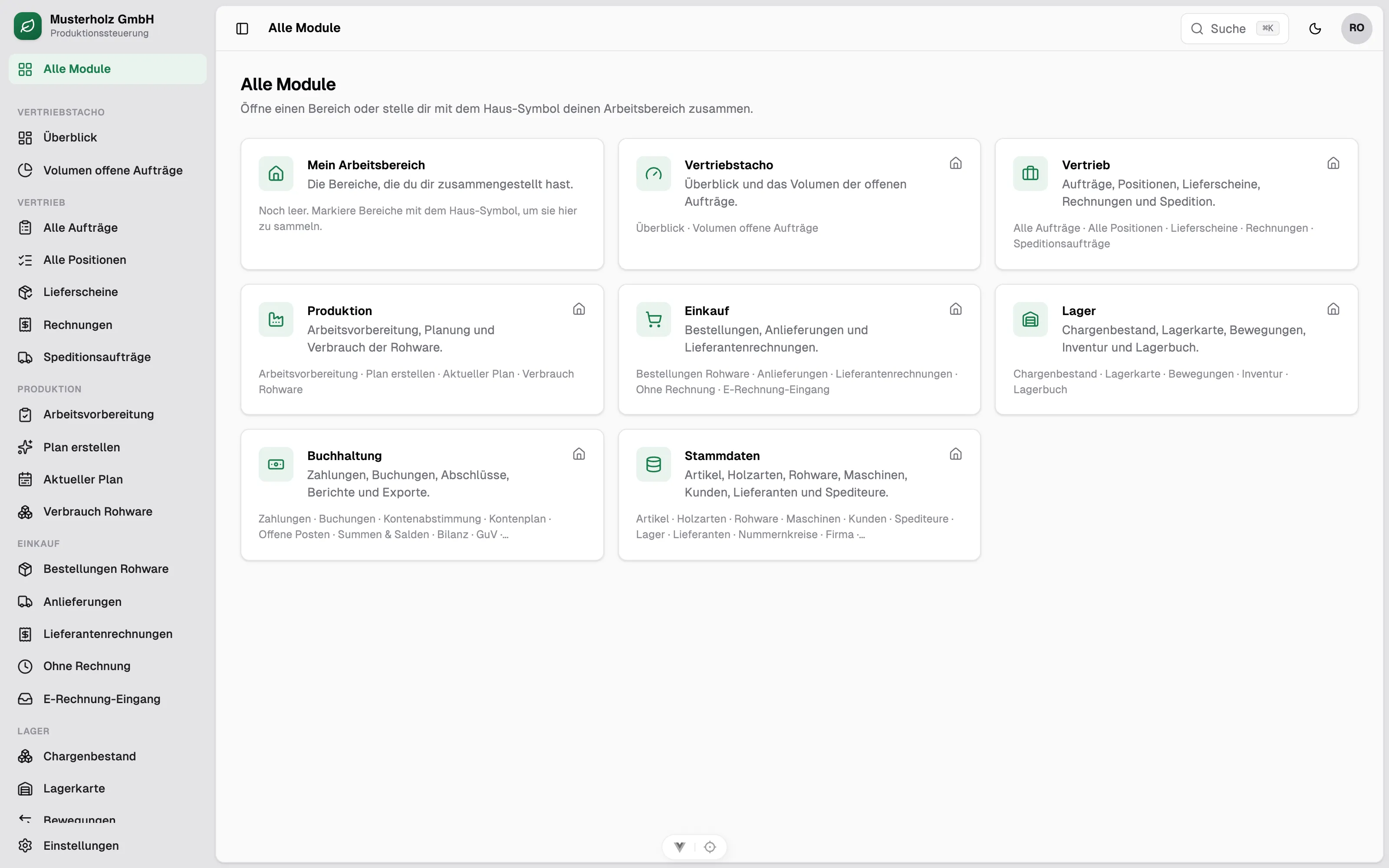
The real operational flow — raw timber order, goods receipt, production, delivery, invoice — is modelled end to end. Every department works on the same data, and every legally relevant document is created audit-proof in exactly one place.
Production first
An optimisation solver schedules operations per machine, batches identical wood species and makes bottlenecks visible — usable without any solver knowledge.
Sales at a glance
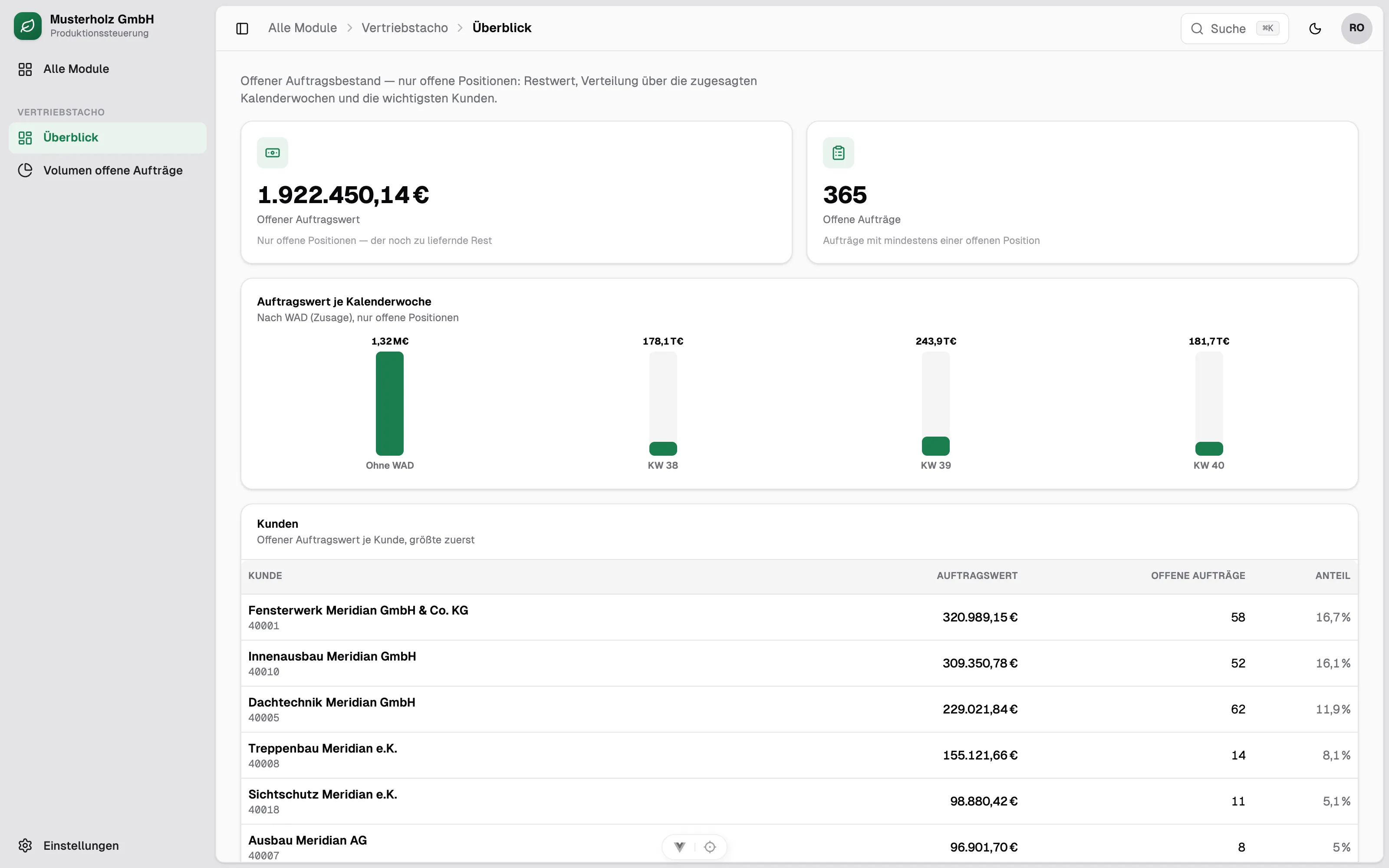
Open order value, utilisation per calendar week and the key customers — the complete document flow from order confirmation to invoice.
Compliance by construction
GoBD, § 14 UStG (German VAT Act) and retention periods are hard-wired — not optionally configured, but enforced by the system design.
Module · Production
Machine-level production scheduling.
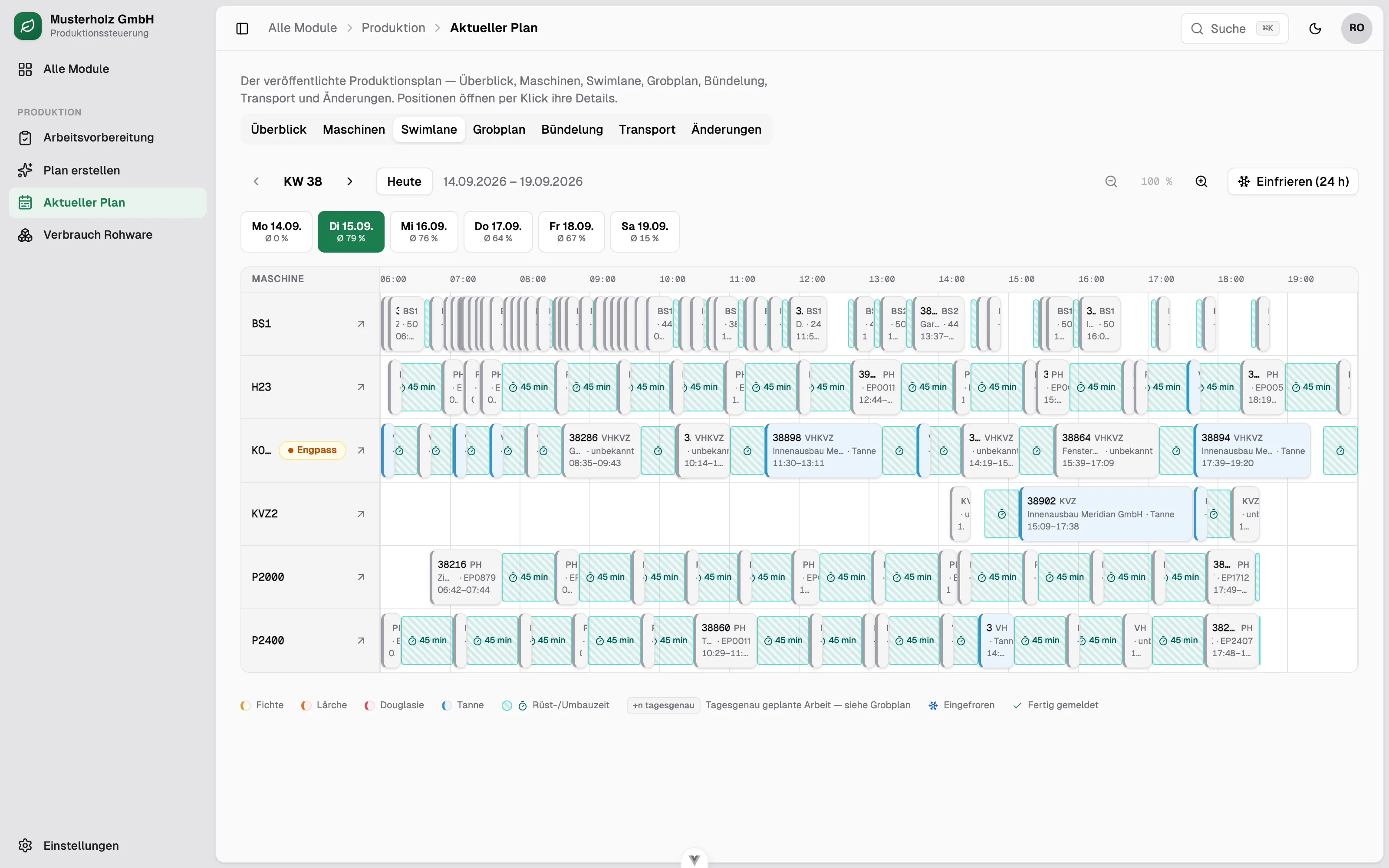
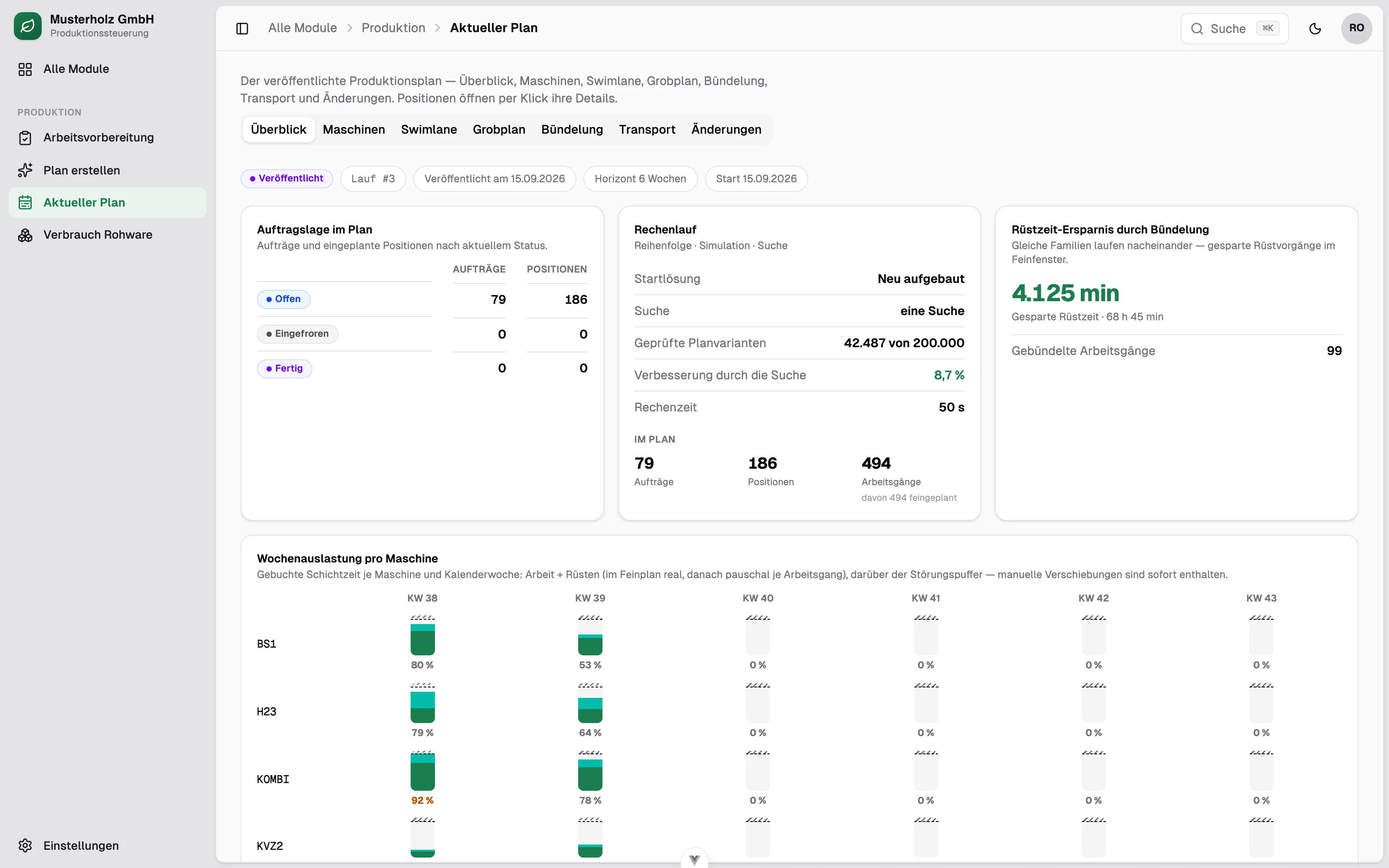
The centrepiece: from the open order book, an optimisation solver computes a complete detailed schedule across the entire machine park — sequence, setup times and capacity included. The production manager sees the result as a timeline, not as a wall of metrics.
- One swimlane per machine with operations, setup times and day segments
- Colour-coded by wood species (spruce, larch, Douglas fir, fir)
- Batching identical profiles measurably saves setup time
- Bottleneck machines and weekly utilisation visible at a glance
- Freeze individual items — the rest is re-planned around them
- Plain-language feedback instead of solver metrics
Module · Sales
Order processing & sales control.
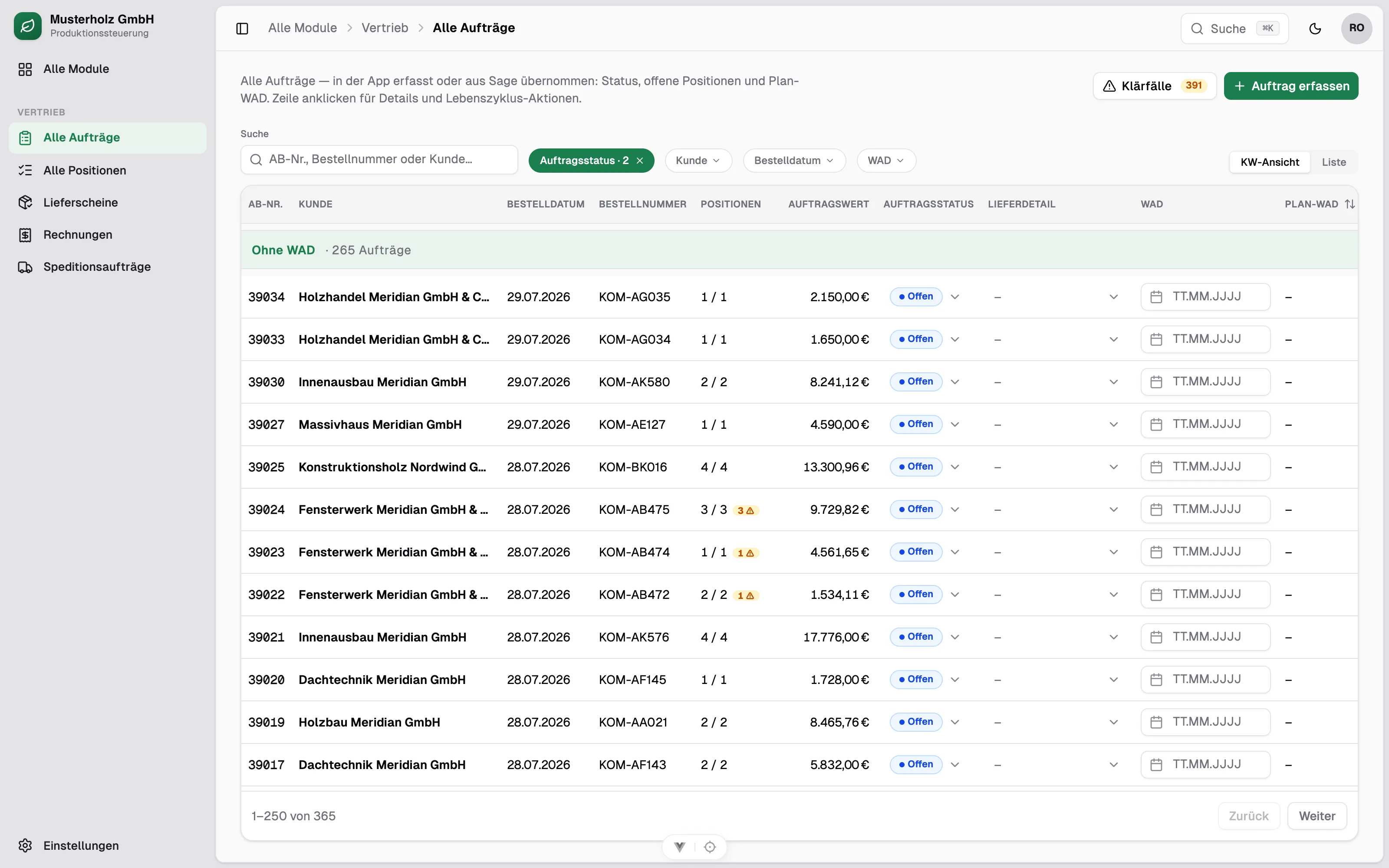
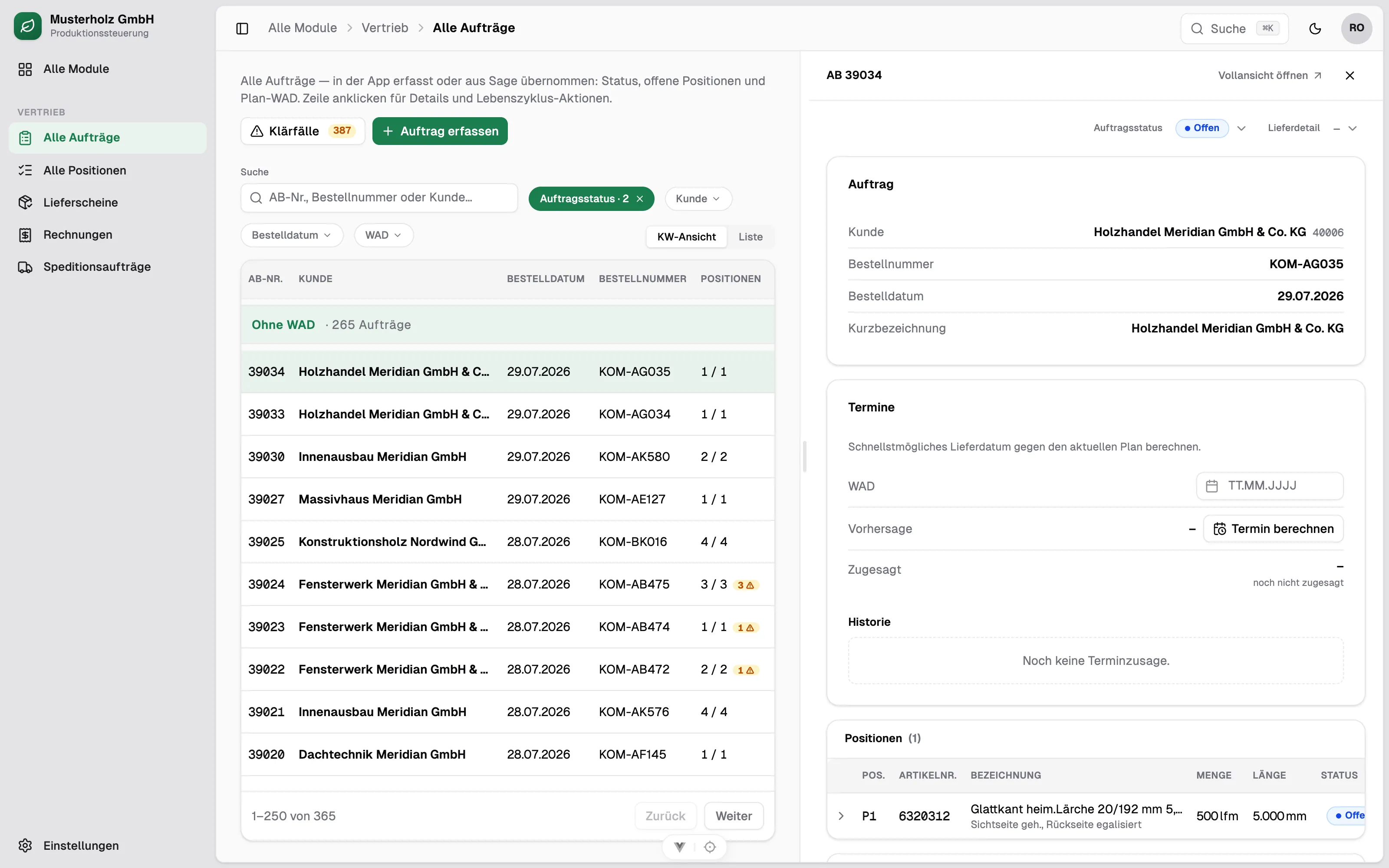
Orders come in from the legacy system or are entered directly in the app. From there the complete document flow — order confirmation, production feedback, delivery note, invoice — runs as a guided chain. Sales management keeps value and dates in view.
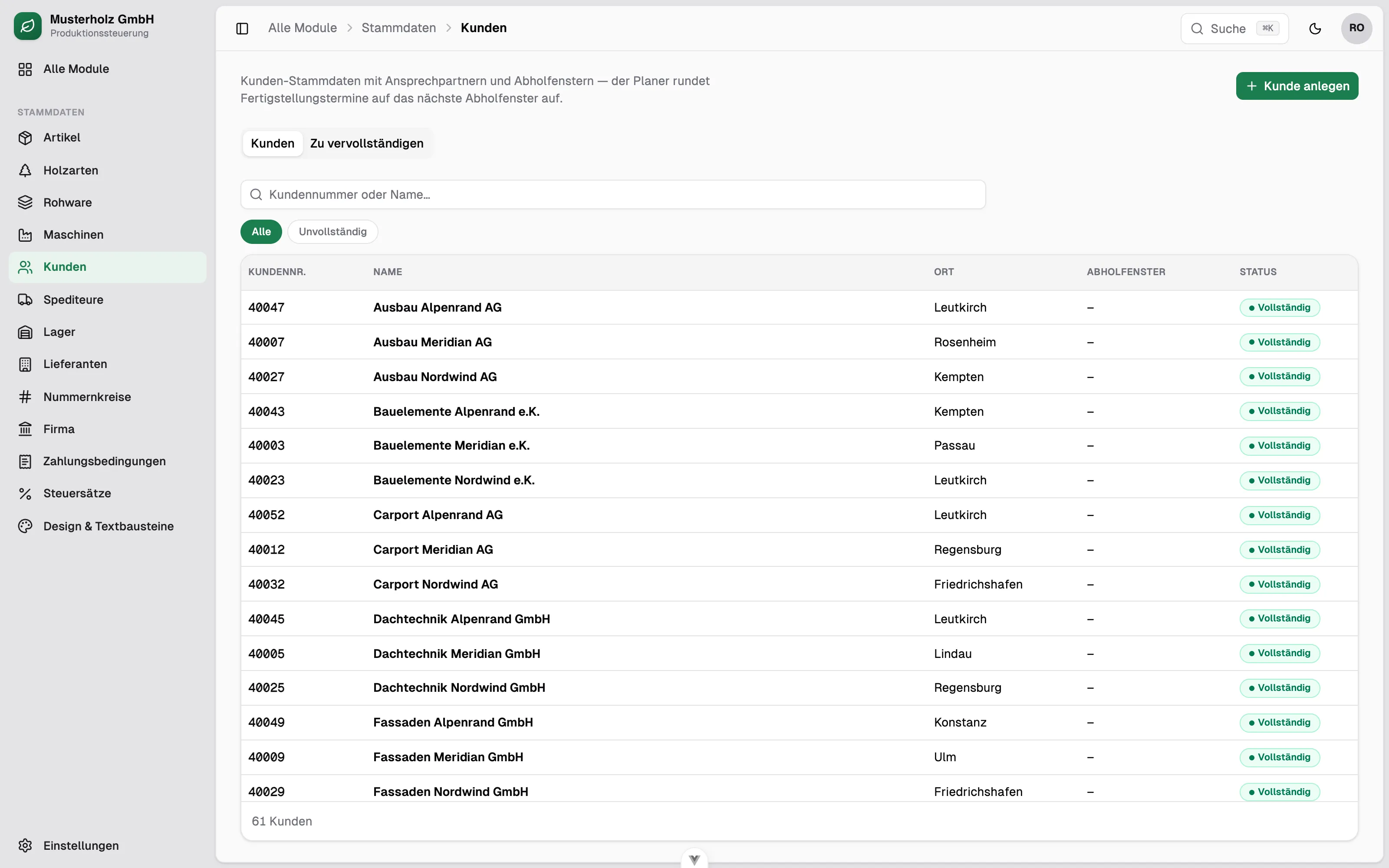
Module · Master data
Product catalogue & capacity model.
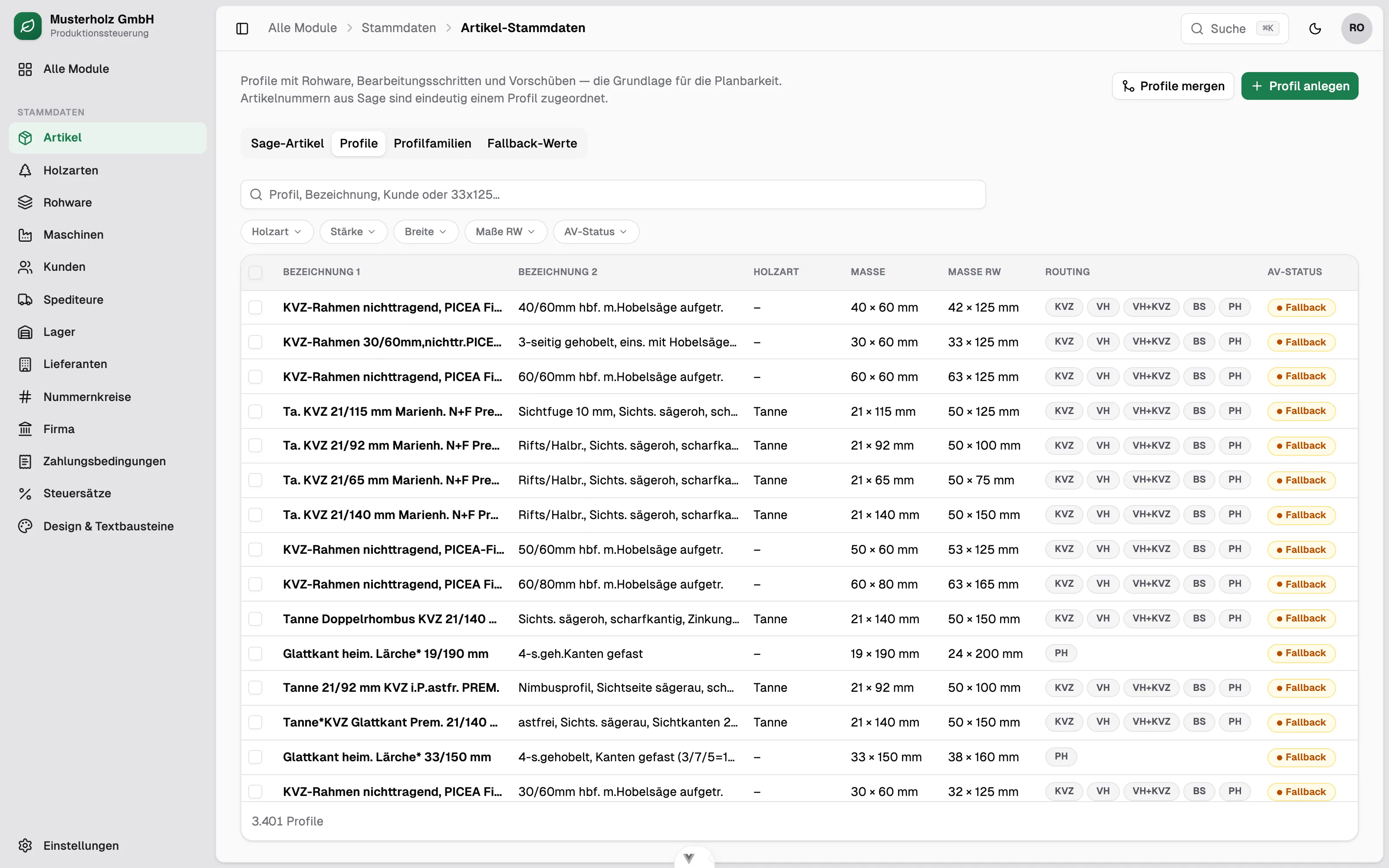
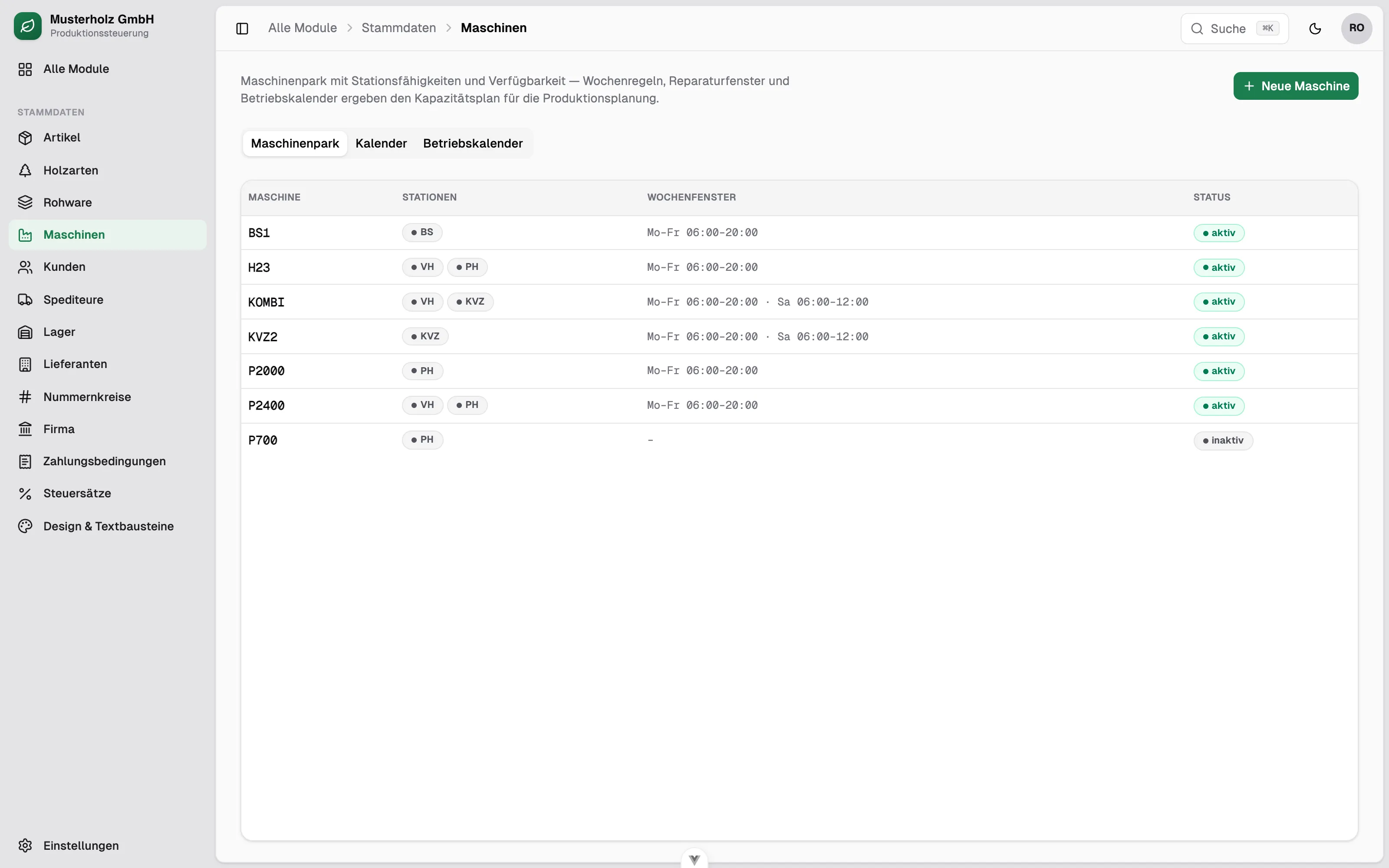
Profiles, customers and machines are the basis of plannability: every profile knows its raw material and its routing, every machine its stations and operating hours. That is how the planner knows what runs where, and for how long.
Modules · Purchasing & inventory
Raw material procurement & batch-level inventory.
The material flow is fully traceable: from the raw timber order at the sawmill, through goods receipt with an internal batch number per bundle, to consumption in production.
Ordering & goods receipt
Confirmed delivery date with full history, goods receipt based on the delivery papers, a sequential batch number per bundle with QR label.
Batch-level stock
Every movement posts against the batch; production feedback books consumed batches and produced quantity. Stocktaking and stock ledger included.
Purchase document checks
Three-way match of purchase order, goods receipt and invoice with a quantity cap; duplicate protection for incoming invoices.
Module · Accounting
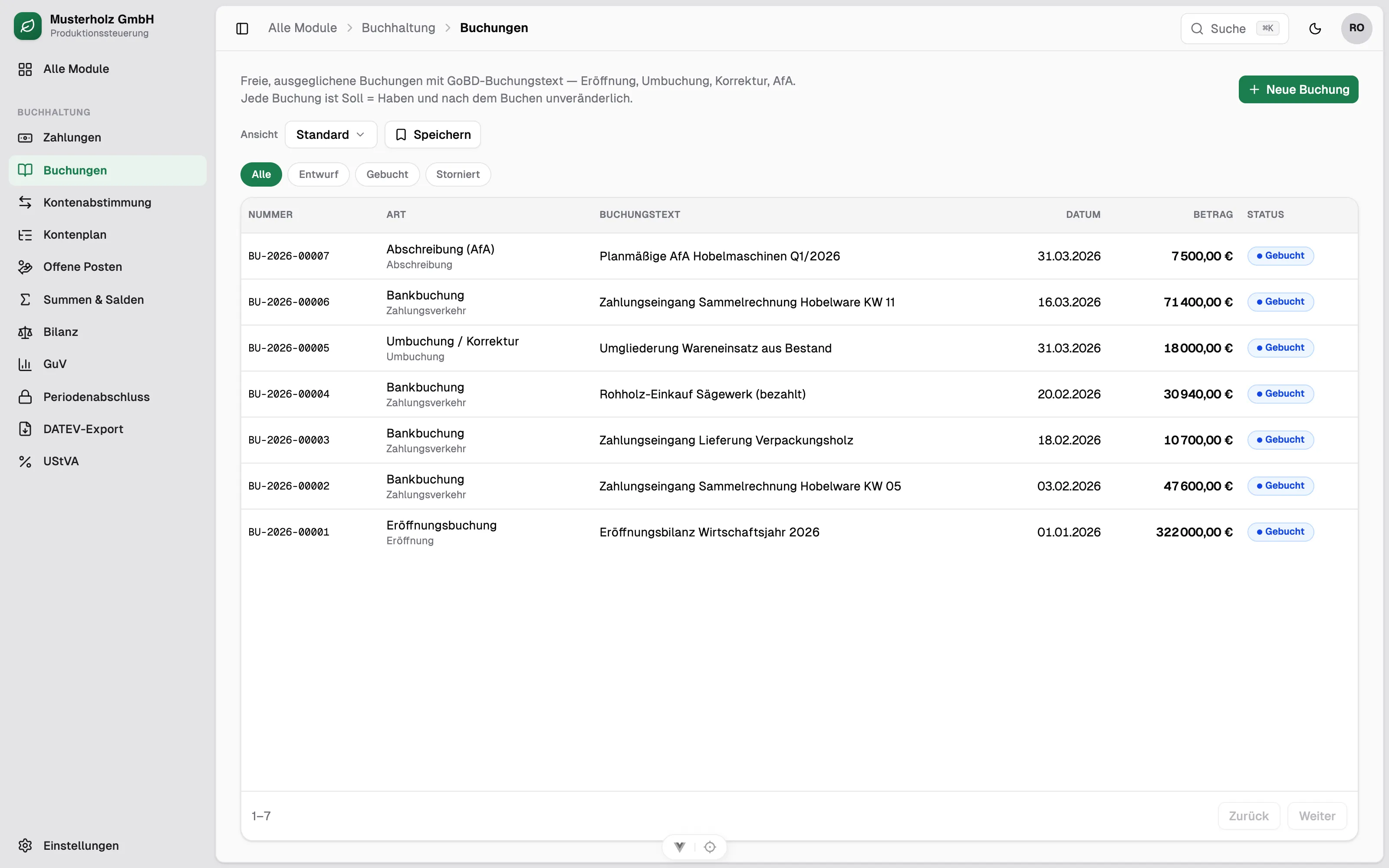
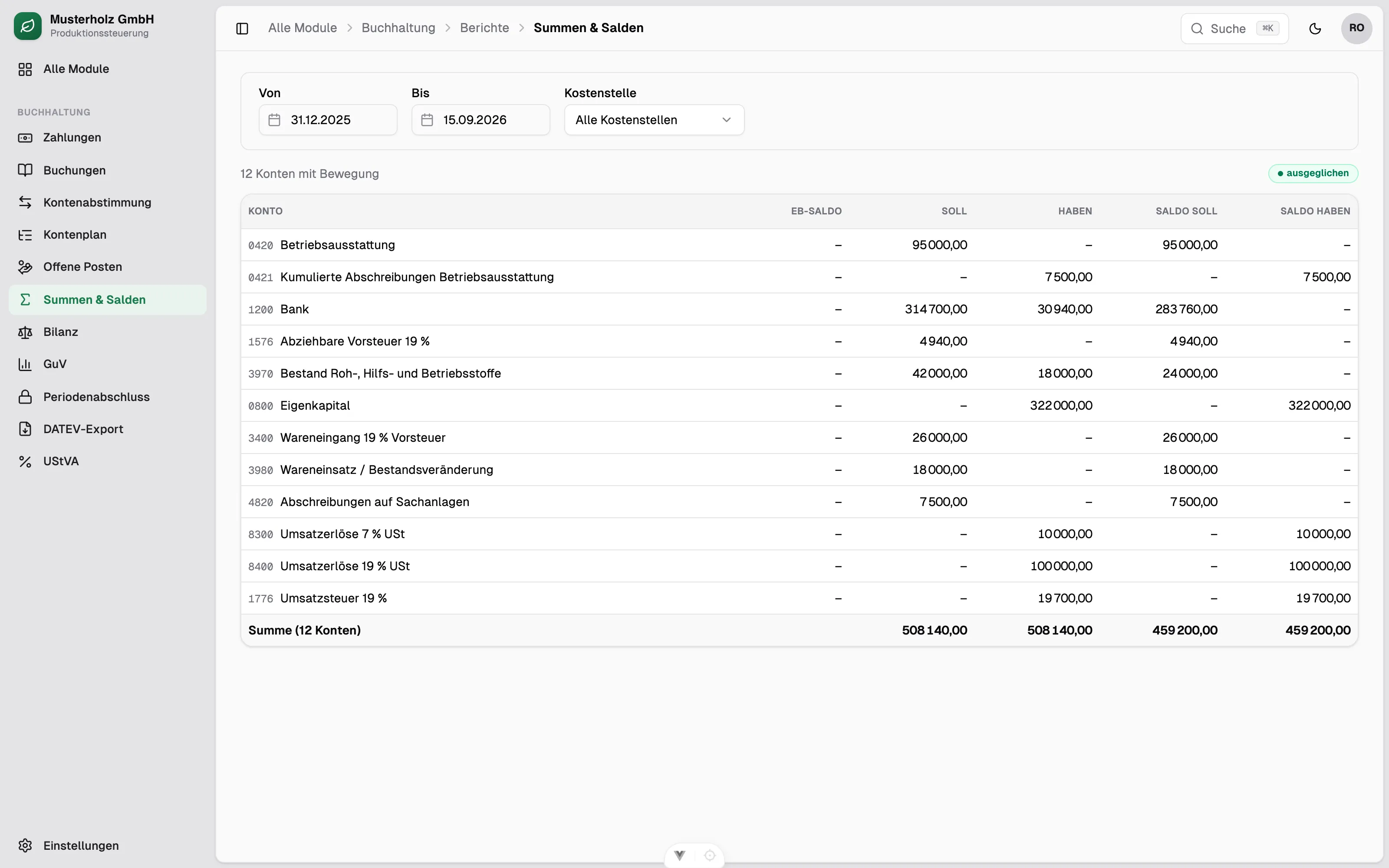
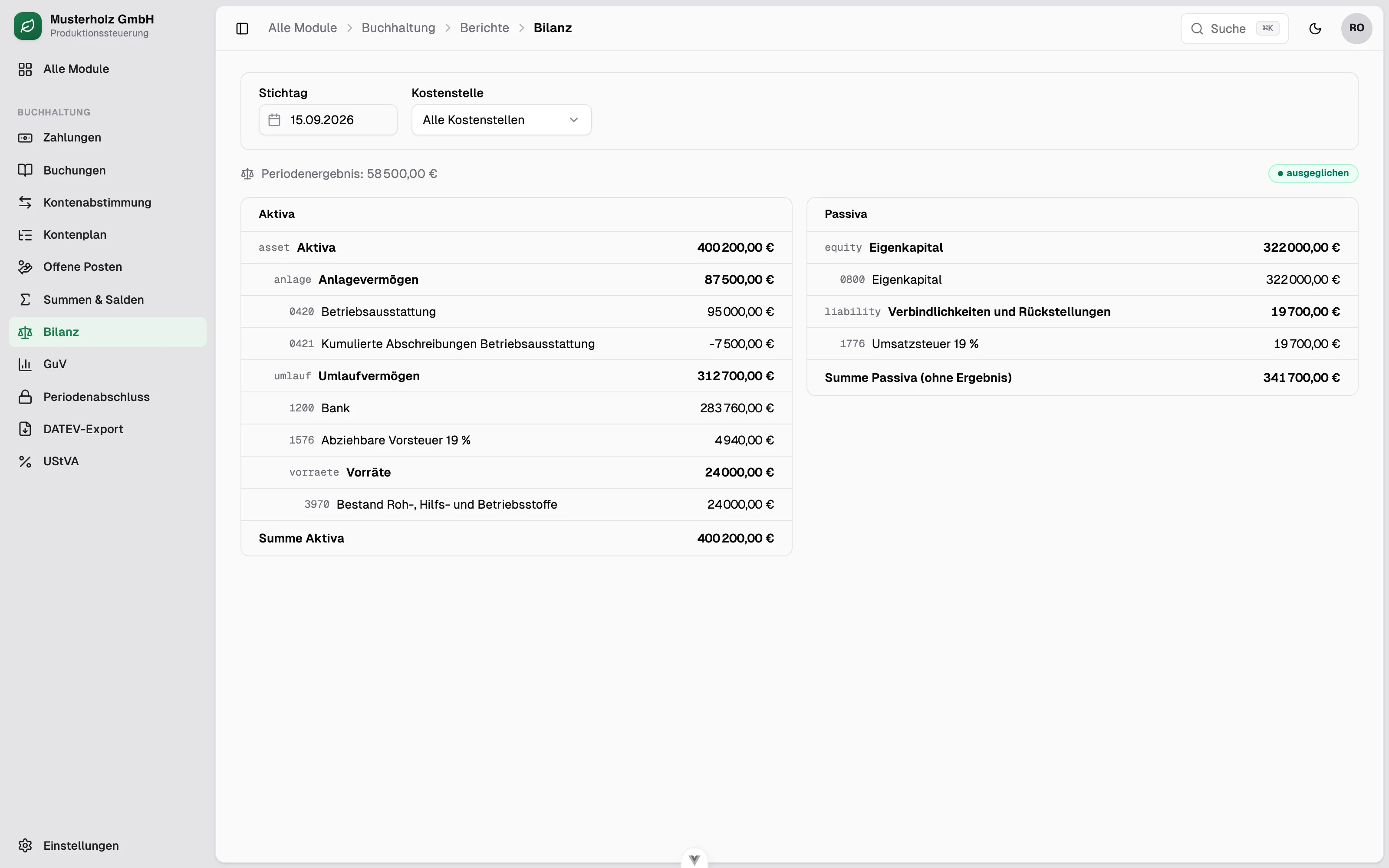
Full financial accounting.
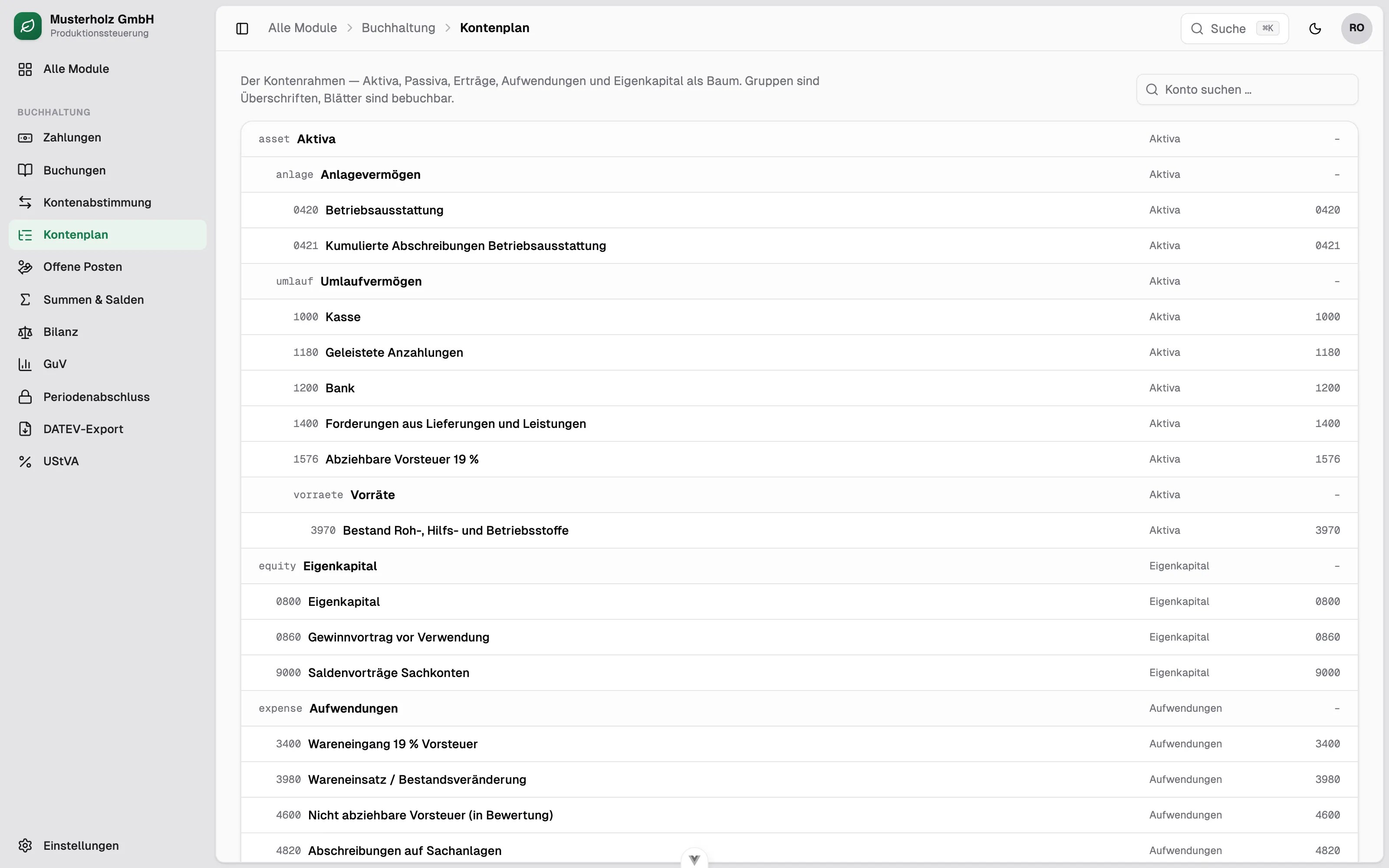
Built on SKR03, the German standard chart of accounts: general ledger, subsidiary ledgers, payments and closing. Reports such as the trial balance, balance sheet and profit and loss statement are derived directly from the postings.
Compliance
GoBD compliance — by construction, not by configuration.
An ERP that allows posted documents to be changed after the fact is not compliant under GoBD — in the worst case the auditor may reject the entire bookkeeping. That is why the core principles of proper bookkeeping are hard-wired here and secured by a permanently green test suite that runs with every build.
- Immutability / append-only
- General and subsidiary ledgers are only ever appended to; every “change” is a new, dated reversing entry.
- Debit = credit
- Only balanced journal entries are accepted — no silent rounding.
- Gapless numbering
- Central number range inside the posting transaction; a reversal keeps its number.
- Original reference & reason
- Corrections carry a reference to the original and a mandatory reason.
- No edit after submit
- Changes only via cancel and re-create (cancel + amend).
- Period lock (§ 146 AO)
- Postings dated before the lock date are rejected.
- § 14 UStG
- Mandatory-field validation of invoice details incl. tax cases and the small-amount invoice rule.
- Retention (§ 147 AO)
- Books 10 years, documents 8 years — stored as a policy.
DATEV export
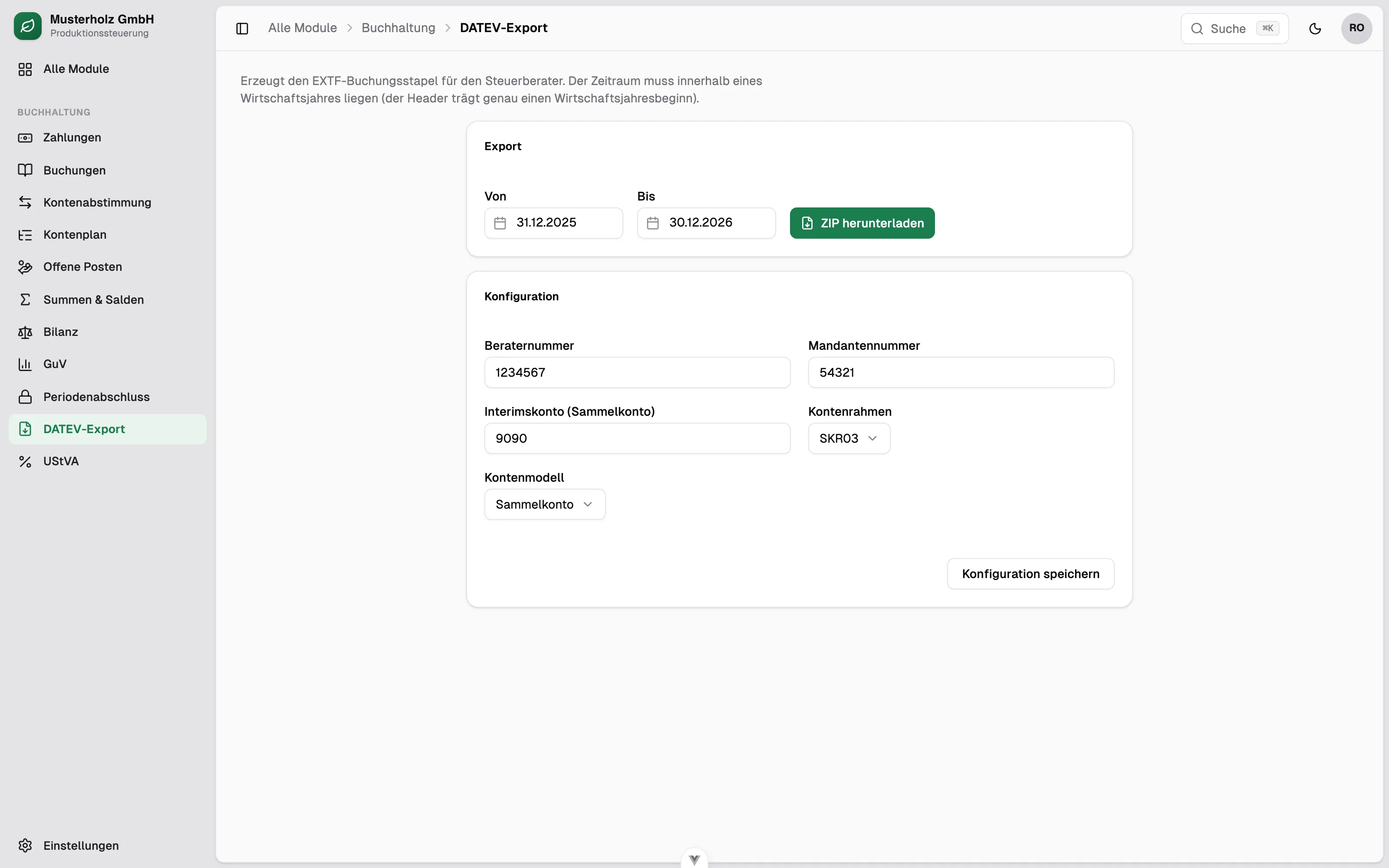
EXTF posting batches with customers, suppliers and account labels as a ZIP — ready for the tax advisor.
E-invoicing
Outgoing as valid XRechnung XML or ZUGFeRD; incoming (mandatory for German B2B since 2025) with validation and manual approval.
Advance VAT return / ELSTER
Advance VAT return generated from the locked postings — as a file for upload to Mein ELSTER, with direct ERiC submission planned.
Architecture
Modern, secure, privacy-compliant.
A lean, production-ready platform made of proven building blocks — with security and EU data protection as a baseline, not an afterthought. Set up by engineers with a clear architecture, extended with AI assistance under fixed quality gates and tests. The speed comes from the agents, the maintainability from the discipline.
Frontend
A fast, clear interface
Reactive single-page app with a consistent design system, light and dark mode, and German number and date formatting throughout.
Backend
Typed domain logic
Asynchronous API with clear domain boundaries, monetary amounts as decimals and a background worker for compute-heavy planning runs.
Security
Least privilege & GDPR
Permissions per user and module (default deny), CSRF protection on every mutation, deletion paths for personal data — fit for sensitive industrial data.
Data sovereignty
All data in your own database — the foundation for AI.
Because the system runs on its own database — hosted in the EU or on-premise — the complete body of operational data is directly and fully available: orders, batches, machine times, postings. No read-only API bottleneck as with cloud ERPs. That is the best starting point for connecting your own AI agents and applying new methods such as tabular foundation models to real operational data. Kitun takes care of maintenance, operations and data protection.
From module to full ERP
First production planning. Now the whole system.
The planning module now in production was the beginning, not the goal. On the same codebase the system is growing step by step into one coherent whole — purchasing, inventory, sales, accounting including e-invoicing. Commodity with an established process gets integrated, the differentiator gets custom-built. That is how one system replaces the patchwork — without a big bang and without weeks of training.
Note: the application's interface is in German. All customers, orders, commissions and postings shown in the screenshots are fictitious demonstration data. No real business or personal data is displayed.